The question I get most often from photographers who see my animated content: “Are those cinemagraphs?”
The honest answer is: sometimes yes, usually no, and it mostly doesn’t matter — but knowing the difference does change what you should be delivering and when. After adding animated content to galleries across 200+ weddings and watching several portrait photographers go through the same learning curve, here’s where I’ve landed on the three-format question.
What We’re Actually Comparing
Quick definitions, because the terminology gets loose fast:
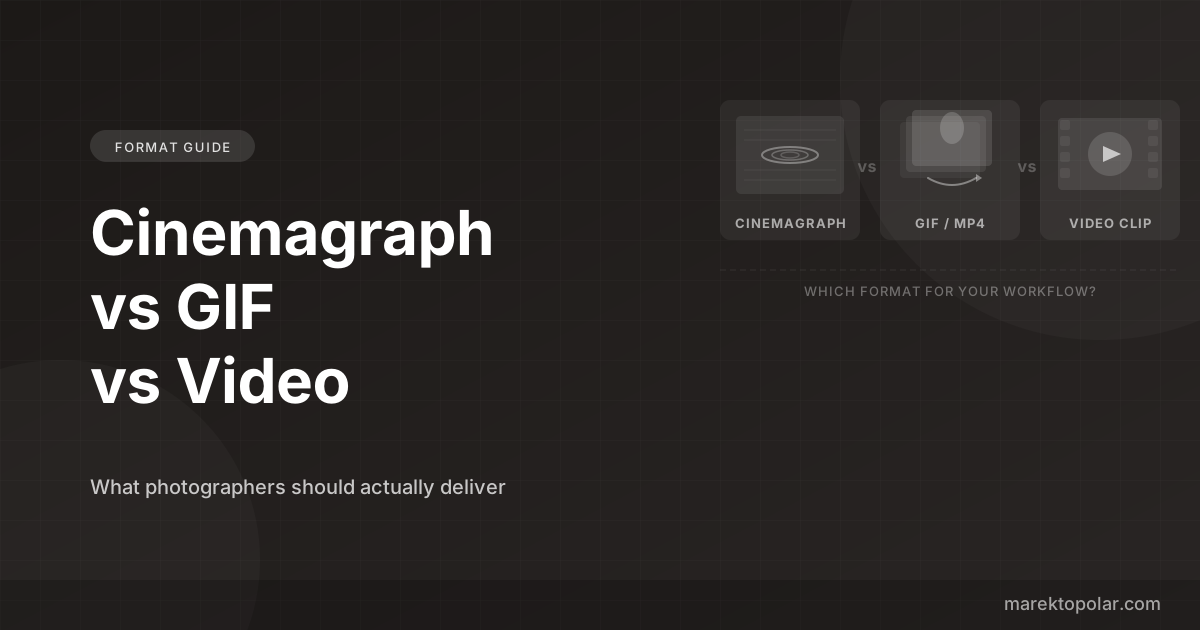
Cinemagraph — A photograph where one isolated element moves while the rest of the frame is perfectly still. Shot on a tripod. The bride’s veil ripples endlessly; everything else is frozen. Created by masking in Photoshop. The effect is deliberately uncanny — your brain registers it as a photo and then notices something is moving.
Burst animation (GIF or MP4) — A sequence of still photos shot rapidly at 10-30fps and played back as a short loop. The whole frame animates: subject movement, any camera shake, the full energy of the moment. No masking. No Photoshop marathon.
Short video clip — A few seconds of actual video footage, possibly slo-mo, played back as-is. Full motion, full color, audio possible. Not really an animation in the traditional sense — it’s just a very short video.
The cinemagraph photography guide covers how to create true cinemagraphs in detail. This article is specifically about which format to deliver, and when each one earns its place in a real workflow.
The Three Jobs
Each format is genuinely good at something the others aren’t.
Cinemagraphs: Premium Portfolio Pieces
The cognitive dissonance of a cinemagraph — that something reads as a photograph while also clearly moving — does not fade with repeated viewing. A cinemagraph in your portfolio is a stopping point. It holds attention for 8-15 seconds while people work out what exactly is moving. I’ve watched potential clients at wedding expos stand in front of my screen trying to figure it out for way longer than any static photo has ever held anyone.
The cost: 30-60 minutes per image in post. I’ve timed it. Masking cleanly, blending the loop point so it reads seamlessly, getting the mask edges right where movement meets stillness — this is real work, and some images fight you. A veil loop that should take 20 minutes can take 90 if the wind was irregular or the shoot position wasn’t quite right.
This is not a format for delivering 15 animated moments per wedding gallery. The math doesn’t hold. I do 2-3 cinemagraphs per season — for portfolio and occasional commercial work — and burst animations for everything else.
Who cinemagraphs actually serve: photographers building a distinctive portfolio presence, high-end commercial briefs (hotel websites, fashion brands, editorial), and content pieces designed to hold sustained attention. If you’re delivering a wedding gallery to a couple who will look at it twice and then share it with family, a cinemagraph is probably not where your post-production time should go.
Burst Animations: The Everyday Workhorse
A well-shot burst sequence — confetti falling, a veil catch, first-dance footwork, someone jumping — turns into a living photo in about 10 seconds per image when you have the right workflow. The whole frame moves, and the overwhelming majority of clients cannot tell the difference between this and a true cinemagraph. I have tested this directly. I showed couples both formats side-by-side and asked which they preferred. They picked based on the moment, not the technique.
Full disclosure: I built Burst2GIF specifically to get burst animations out of Lightroom Classic without touching Photoshop. It’s a macOS plugin, works with Lightroom Classic 10.0+, exports GIF or MP4 up to 6K, and auto-detects frame rate from the EXIF SubSecTime data — which means your timing is accurate without any manual input. Free version runs 10 exports; Standard is $29 one-time. It won’t do true cinemagraph masking — that still requires Photoshop — but for everything in the burst animation category, it’s what I use for every wedding.
If you’re not a Lightroom Classic user, or you need the masking capability of a real cinemagraph, Burst2GIF isn’t for you. The complete guide to making GIFs from photos on Mac covers the other available paths honestly.
The output format question for burst animations — GIF versus MP4 — is a separate discussion. The GIF vs MP4 comparison has the full technical breakdown, but the short version is: MP4 for galleries and social, GIF when you need guaranteed auto-play in email.
Short Video Clips: The Underused Middle Ground
Most photographers think in two modes: still photos and full video productions. The short clip — 3-5 seconds, straight from the camera, maybe slowed down a touch — tends to get ignored. It shouldn’t.
A 4-second clip of the flower girl’s face when she first sees the decorated ceremony space is better as a clip than as either a cinemagraph or a burst animation. The moment builds too slowly for a tight 1.5-second burst loop. Masking it for a cinemagraph would take an hour and lose most of what makes it worth watching. But raw from the camera at native speed, it captures something neither still photos nor burst animations can show: time passing at human scale, expression changing across several seconds.
Where short clips struggle: they require a slightly different delivery workflow. Gallery platforms handle video files differently from burst animations — sorting, playback, format compatibility. And if you’re a pure stills photographer, adding clips systematically is a bigger operational change than adding burst animations.
My current approach: I pull 2-3 short clips per wedding, specifically for moments where the emotional arc spans more than 3 seconds and needs every one of them. These go in the gallery alongside the burst animations. It’s not a full video offering — it’s supplemental motion content for the moments that call for it.
A Decision Framework
Given any “should this be animated?” moment, here’s how I think through it:
Is it a natural cinemagraph opportunity? Tripod available. One isolated element moving (wind, water, flame, steam). Subject is relatively still. You have setup time to compose deliberately. → Shoot it for a cinemagraph and commit 30-60 minutes in post. It’s worth it for the right image.
If not, is the moment better as animation or clip? Movement lasts under 3 seconds and loops naturally (confetti, jump, veil toss, sparkler moment, hug spin)? → Burst animation. Movement builds across 3-8 seconds where the full arc matters (first look from a distance, flower girl processional, first dance beginning, toddler discovering something)? → Short clip.
What’s the delivery context?
- Client gallery: burst animations as MP4, clips as short video files, cinemagraphs as MP4.
- Social media: burst animations loop well and catch the algorithm; cinemagraphs when you have them, clips as Reels.
- Email sneak peek: burst animations as GIF — the GIF vs MP4 guide explains why email is the one place GIF still wins.
- Portfolio and professional showcase: cinemagraphs for the standout pieces that need stopping power, burst animations for high-energy moments.
The Honest Take
Most of my animated delivery is burst animations. Cinemagraphs come out for portfolio and specific commercial work where the time investment makes sense. Clips appear a few times per wedding for moments where neither alternative fits.
The hierarchy isn’t about prestige — it’s about impact relative to time spent. A burst animation of confetti falling at 20fps delivers more actual emotional response than a technically perfect cinemagraph of a candleholder I spent 45 minutes masking, because the moment matters more than the technique.
Cinemagraphs are worth having in your toolkit for the images that genuinely call for them. Short clips are worth the small workflow overhead for moments that need more than a loop. But if you’re looking at your burst sequences and wondering where to start with animated content, burst animations cover 80% of the worthwhile moments, they’re fast to produce, and the client reaction is immediate.
The format is the vehicle. What you put clients through when they open their gallery is the point.
Ready to Turn Your Burst Photos Into GIFs?
Burst2GIF works directly inside Lightroom Classic. Select your burst photos, click export, and get a smooth GIF or MP4 in seconds.